PRE-ISSUE REVIEW

Pre-issue quality control for Revit.

Review model setup, drawings, sheets, and project information before issue. Esattia flags what needs attention while the engineer remains in control.

Esattia flags; the engineer decides.

Request accessSee how it works
Home AI icon
HOME AI

One place to turn project intent into a controlled Revit workflow.

Home AI recognizes what you are trying to do, works with Esattia and the Revit MCP tool ecosystem, and keeps model-changing actions behind clear confirmation and safety boundaries.
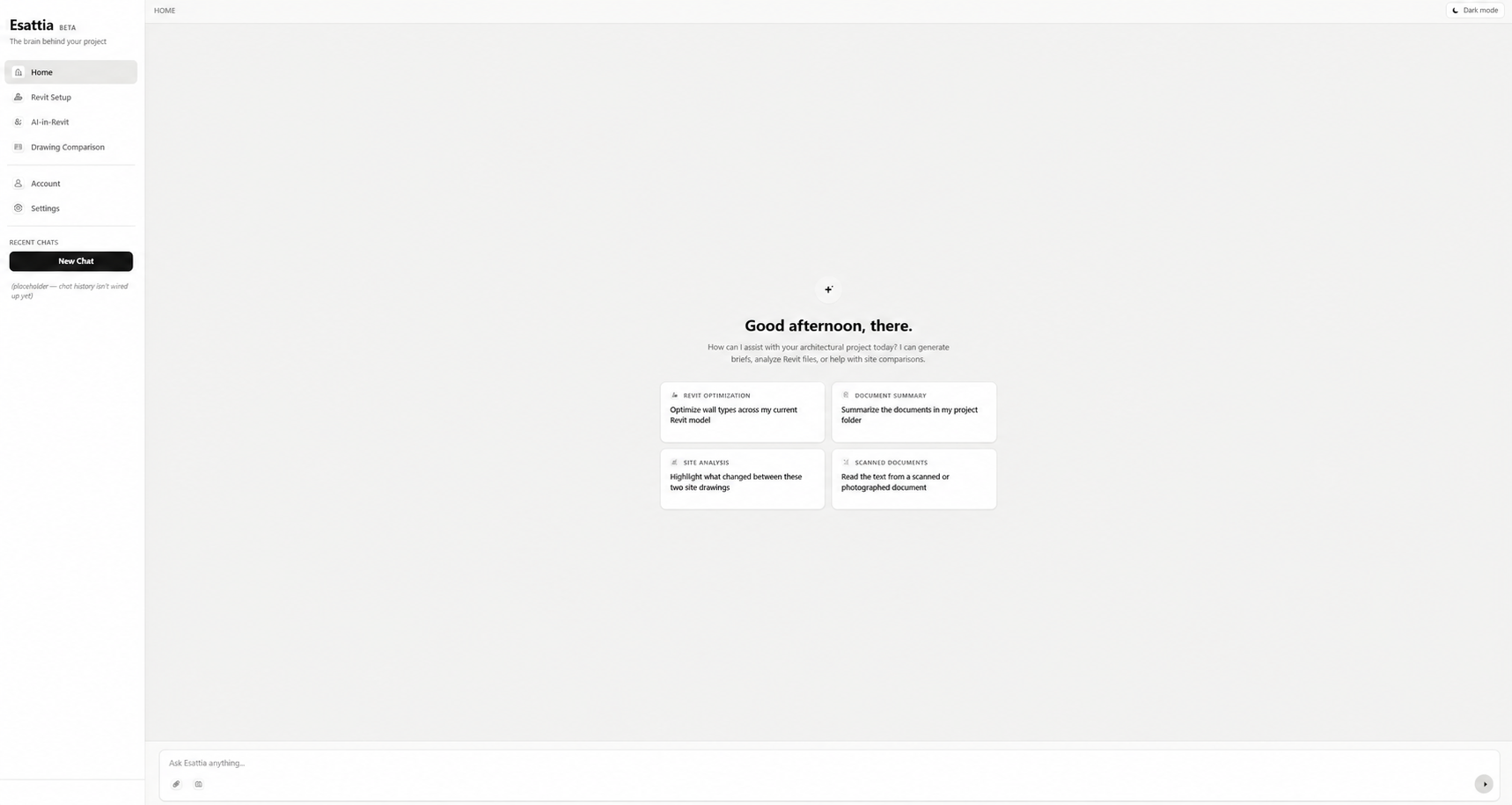
Esattia Home AI interface for directing Revit and project review workflows
PRE-ISSUE AUDIT

One structured review before information leaves the office.

Run coordinated checks, group findings, inspect what needs attention, and rerun after review. The audit supports professional judgment; it does not certify the model or replace engineering review.

01 · CONFIGURE

Choose the review scope

Prepare the model, sheets, and supported checks you want to review.

02 · RUN

Run coordinated checks

Esattia reviews supported conditions without silently changing the model.

03 · INSPECT

Review findings

See findings in a structured view and inspect the affected context.

04 · DECIDE

Resolve, acknowledge, rerun

The engineer decides what requires action and when the review is complete.

Pre-Issue Audit · demonstrationReview required
Model warningsCheck resultReview
Dimension consistencyCheck resultReview
Grid / level consistencyCheck resultReview
Rebar coverCheck resultReview
AI IN REVIT

One interface for 100+ Revit operations.

Use natural language to inspect, check, organize, select, document, export, and prepare supported Revit actions. Esattia AI turns requests into real workflows while keeping model-changing actions visible before execution.

“Select all columns on Level 02.”
Esattia interprets the requested scope and prepares the supported selection operation.
“Which sheets still need attention?”
Use supported checks and project context to focus review on the information that needs inspection.
“Prepare these sheets for PDF export.”
Esattia prepares the supported export workflow and keeps the intended scope visible before execution.
Explore AI in Revit →
CONTROL BY DESIGN

Propose → confirm → execute.

Read-Only Mode blocks write operations when you only want to inspect. When a supported action would change the model, Esattia makes the proposed scope visible first.

Read-Only Mode
Keep the workflow focused on inspection, navigation, and findings without allowing write tools to run.
Proposed actions
See what Esattia intends to do before a supported model-changing operation is executed.
Professional review
AI output and automated findings remain inputs to the engineer's decision, not a substitute for it.
CORE WORKFLOWS

From setup to revision review.

The AI is the interface. Purpose-built Revit tools handle the repeatable work around review, setup, comparison, and delivery.

Revit Setup icon
SETUP

Revit Setup

Turn incoming project information into a clearer Revit starting structure. Esattia helps detect supported setup conditions, prepare matching views and drawing organization, and show setup gaps that still need review.

INPUT
Project drawings
Level information
Review scope
RESULT
✓ Setup reviewed
✓ Views prepared
✓ Gaps flagged
Drawing Comparison icon
COMPARE

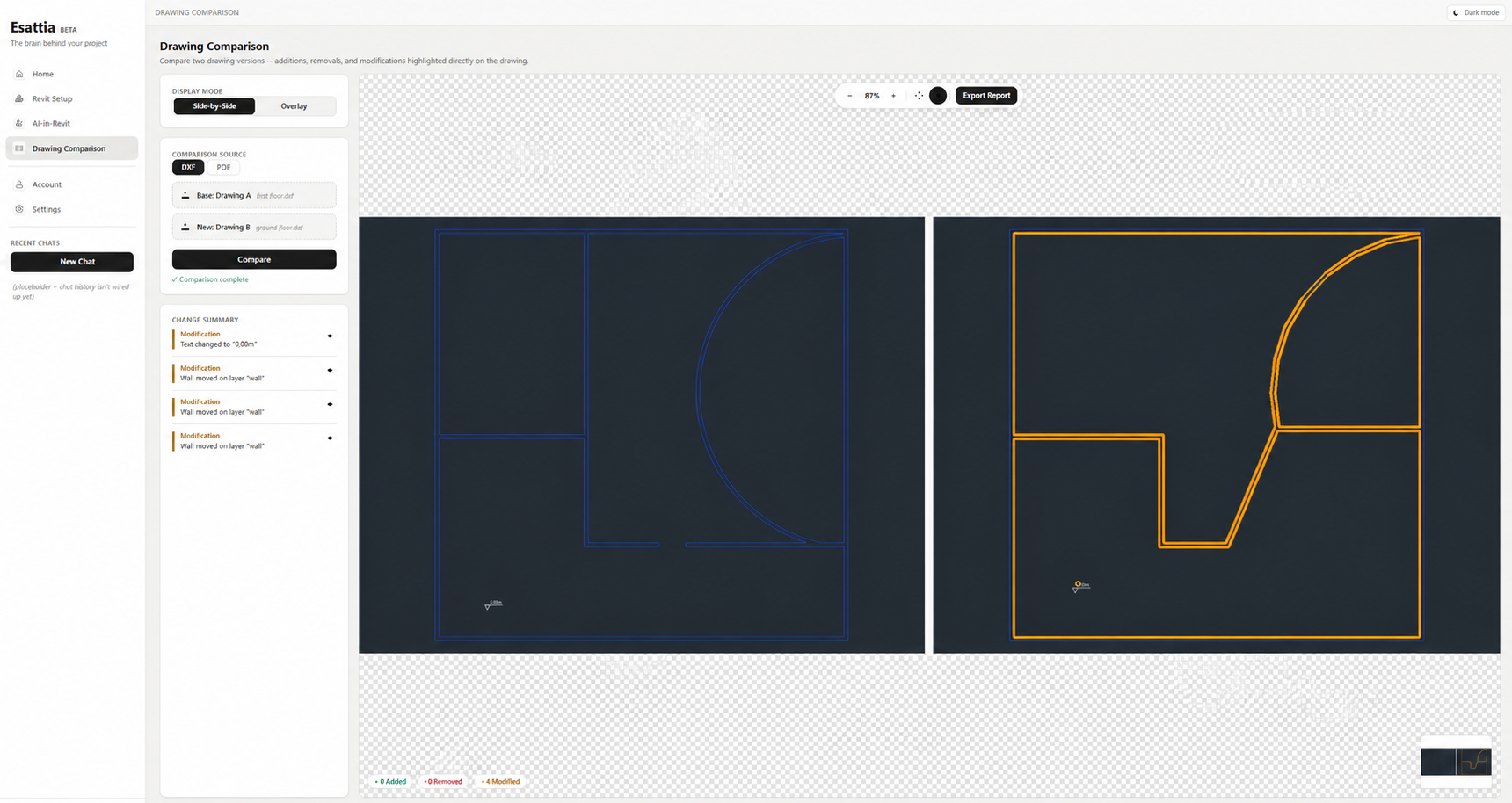
See what changed—without checking drawings line by line.

Esattia compares drawing revisions, identifies additions, removals, and modifications, and turns the differences into a reviewable change summary.

Esattia comparing two populated drawing revisions with detected modifications and a visible change summary
Explore the Toolkit →
SUPPORTING WORKFLOW TOOLS

Useful extras, without distracting from review.

Brief Generator, Meeting Recorder, and Project Tasks support adjacent work where available. They are secondary to Esattia's Revit verification and review workflows.

Brief Generator

Organizes user-supplied requirements into an editable starting draft for review and correction.

Meeting Recorder

A supporting workflow for meeting information where the feature is enabled and appropriate.

Project Tasks

Lightweight project task tracking alongside the core Revit workflow.

EARLY ACCESS

Bring a clearer review step into Revit.

Esattia is currently offered through controlled early access.

Built for real architecture and engineering workflows.